Configure sites
A site groups content, languages, and public URLs. One Symfony application can serve several sites, each with its own hosts, locale paths, and allowed content types.
Create a directory per site under cms/sites/. For example, cms/sites/default/config.yaml defines the default site. The admin area shows the sites loaded from these definitions.
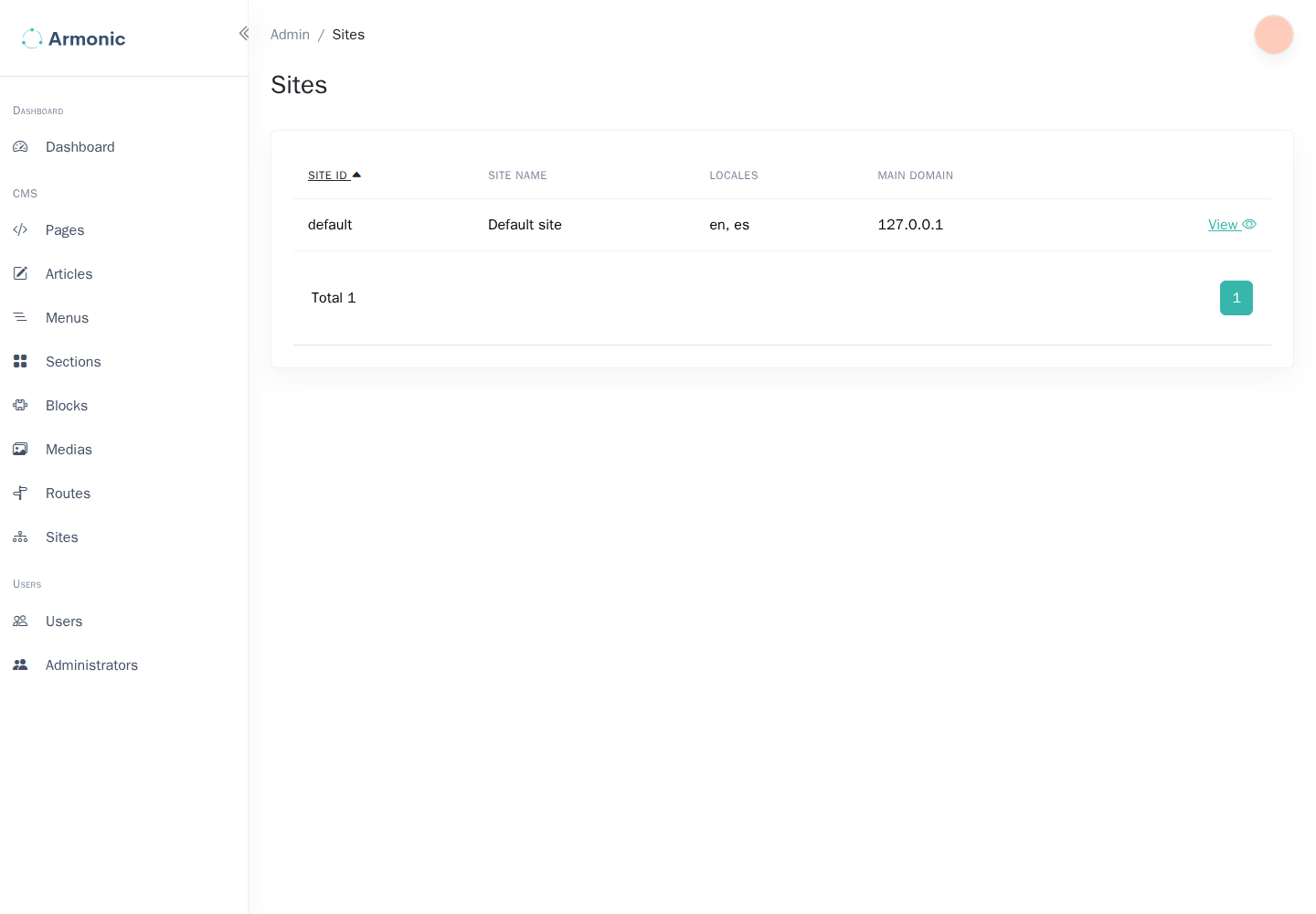
Start with a local site
This complete configuration serves English content below /en/ and disables HTTPS redirection for a local HTTP server:
# cms/sites/default/config.yaml
site:
    allowed_content_types: ['page']
    locales: ['en']
    default_locale: en
    https_redirect: false
    paths:
        - { path: '/en/', locale: en, trailing_slash_on_root: true }
At least one host or path is required for an enabled site. A site's paths and locales determine where its CMS routes are available. Creating a site definition does not create a homepage: create and publish a page, then assign it a CMS route.
Clear the cache after adding or changing a definition:
php bin/console cache:clear
Check the site in the admin area and open one of its published routes. See Create routes.
Add a second language
Update the existing site's locales, default_locale, and paths together:
site:
    allowed_content_types: ['page']
    locales: ['en', 'es']
    default_locale: en
    https_redirect: false
    paths:
        - { path: '/en/', locale: en, trailing_slash_on_root: true }
        - { path: '/es/', locale: es, trailing_slash_on_root: true }
Editors can then provide content for both locales. A locale path does not translate the content automatically; review the translated fields and route paths before publishing.
Configure public hosts
For a deployed site, add its hostnames and enable HTTPS. Use a project environment variable rather than embedding a deployment hostname in reusable configuration:
site:
    allowed_content_types: ['page']
    locales: ['en', 'es']
    default_locale: en
    https_redirect: true
    hosts:
        - { domain: '%env(APP_HOST)%', canonical: true }
        - { domain: 'www.%env(APP_HOST)%', redirect_to_canonical: true }
    paths:
        - { path: '/en/', locale: en, trailing_slash_on_root: true }
        - { path: '/es/', locale: es, trailing_slash_on_root: true }
Set APP_HOST to the site's hostname, such as example.test, without a scheme or path. Configure the web server, DNS, and TLS certificate for those hosts separately. If the application is behind a reverse proxy, configure Symfony's trusted proxies so it detects HTTPS correctly.
Use host entries only for domains that belong to that site. The canonical flag identifies its primary hostname; redirect_to_canonical redirects an alternate hostname to it.
Restrict content types
allowed_content_types lists the configured content type identifiers available on this site. Start with page, and add identifiers such as article only after defining them under cms/contents/.
See Configure content types. A site identifier and a content type identifier serve different purposes: one type can be used by several sites.
Configure robots, sitemaps, and error pages
The site definition can also configure:
robots: static or generated rules for crawlers;sitemaps: named sitemap endpoints;error_pages: locale-specific templates and fallback files;slash_route: redirect behavior when opening the site's root;extra: application-defined metadata.
extra has no built-in routing priority semantics. An extra.order value only affects ordering if your application explicitly uses it.
The site reference describes these options with examples. Keep sitemap and robots paths distinct, and verify that referenced templates and CMS route names exist. For local testing, keep HTTPS disabled until your server has a working certificate.