Install Armonic in a new Symfony project
This guide takes you from an empty Symfony project to the Armonic admin area. It uses Symfony 8.0 and Armonic 6.0, with MySQL 8.4 or PostgreSQL 17.
Before you start, check the requirements. You will use Symfony CLI and Composer, plus Docker Compose for the database.
1. Create your project
Create a Symfony web application and start its local server:
symfony new cms-new-project --version="8.0.*" --webapp
cd cms-new-project
symfony server:start -d
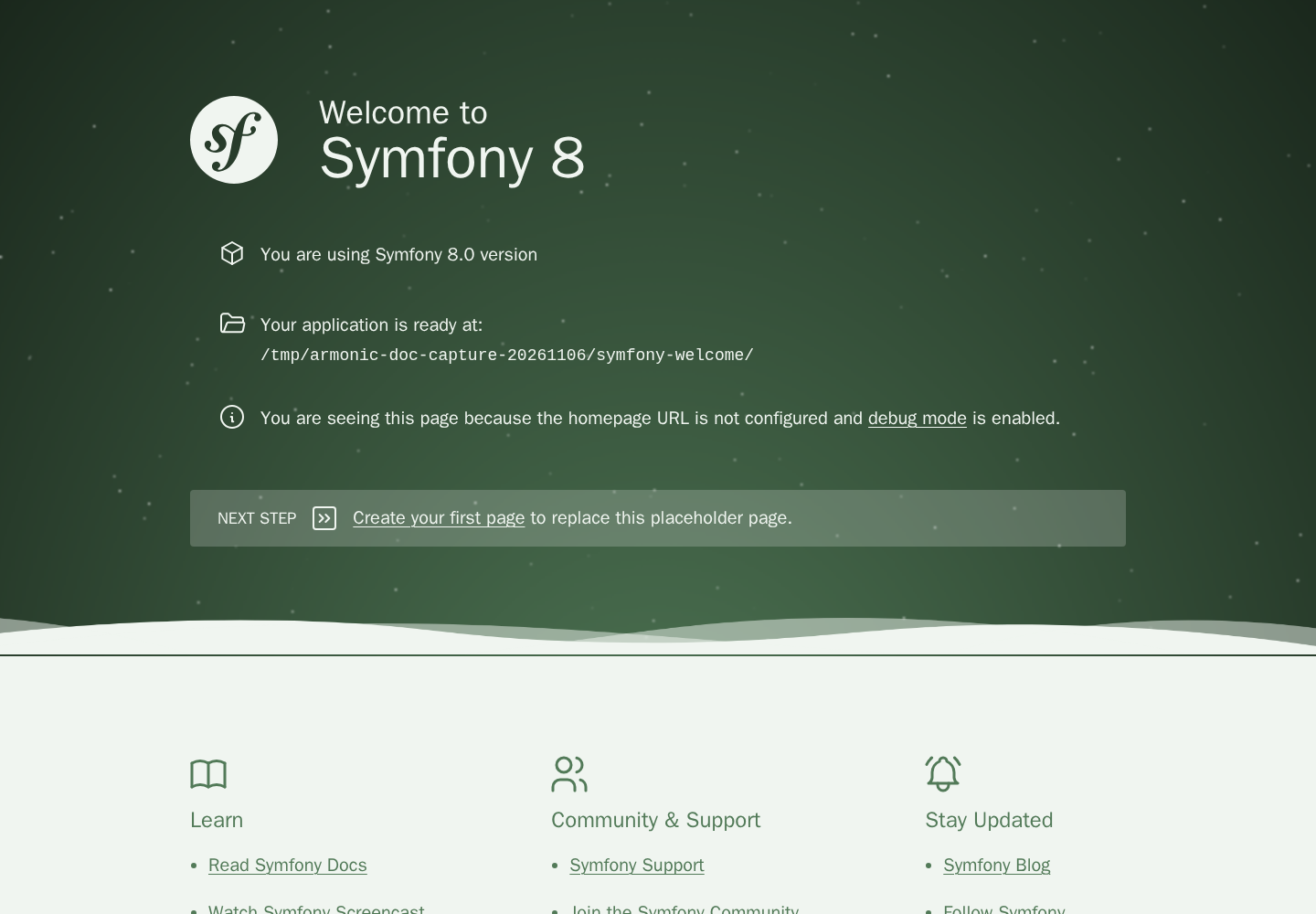
Open the URL printed by Symfony CLI. You should see the Symfony welcome page.
2. Configure your database
Choose MySQL or PostgreSQL and follow Configure MySQL or PostgreSQL. It includes the Compose service, healthcheck, persistent volume, port mapping, and required PHP driver for each engine.
Use one engine for this installation. If you already have a local database, use its connection details instead of starting another service.
3. Connect your application
After starting the database with docker compose up -d --wait database, set one connection in .env.local.
MySQL:
DATABASE_URL="mysql://app:app_password@127.0.0.1:33061/app?serverVersion=8.4&charset=utf8mb4"
PostgreSQL:
DATABASE_URL="postgresql://app:app_password@127.0.0.1:54321/app?serverVersion=17&charset=utf8"
Use the same database name, user, password, and port as your Compose files. For an existing server, adjust the URL and serverVersion. The database guide also explains the Doctrine settings to check when choosing PostgreSQL.
Check the connection:
php bin/console dbal:run-sql 'SELECT 1'
4. Install Armonic
Configure the Softspring Flex recipes and allow the development packages used by the 6.0 line:
composer config --json extra.symfony.endpoint '["https://api.github.com/repos/softspring/recipes/contents/index.json", "flex://defaults"]'
composer config minimum-stability dev
composer config prefer-stable true
Install Armonic. When Composer asks to execute the recipes, choose Yes or Yes for all packages for this installation.
composer require softspring/armonic:6.1.*@dev -W
Check that config/bundles.php also registers the collection form bundle and the two plugins installed with Armonic. Add these entries to the returned array if they are missing:
Softspring\Component\CollectionFormType\SfsCollectionFormTypeBundle::class => ['all' => true],
Softspring\CmsSectionsPlugin\SfsCmsSectionsPlugin::class => ['all' => true],
Softspring\CmsTranslationPlugin\SfsCmsTranslationPlugin::class => ['all' => true],
Enable optional plugins before running their migrations so their tables and mappings are included.
Create the CMS database tables:
php bin/console doctrine:migrations:sync-metadata-storage -n
php bin/console doctrine:migrations:migrate -n
The CMS tables are ready. Continue below to configure login and open the admin area.
5. Set up admin access
Install the User Bundle
This example uses the Softspring User Bundle for login and admin users. You can also integrate Armonic with your own Symfony security setup.
composer require softspring/user-bundle:6.1.*@dev -W
Accept the Flex recipe. It adds the user entity, routes, and a sample security configuration.
For this new project, use the supplied security configuration:
mv config/packages/security.yaml.dist config/packages/security.yaml
Under the existing security.firewalls.main.form_login configuration, add:
YAML
security:
    firewalls:
        main:
            form_login:
                default_target_path: sfs_cms_admin_content_page_list
PHP
<?php

// config/packages/security.php
namespace Symfony\Component\DependencyInjection\Loader\Configurator;

return static function (ContainerConfigurator $container): void {
    $container->extension('security', [
        'firewalls' => [
            'main' => [
                'form_login' => [
                    'default_target_path' => 'sfs_cms_admin_content_page_list',
                ],
            ],
        ],
    ]);
};
This opens the page list after login. To style the login fields, add the Bootstrap form theme to the existing twig section in config/packages/twig.yaml:
YAML
twig:
    form_themes: ['bootstrap_5_layout.html.twig']
PHP
<?php

// config/packages/twig.php
namespace Symfony\Component\DependencyInjection\Loader\Configurator;

return static function (ContainerConfigurator $container): void {
    $container->extension('twig', ['form_themes' => ['bootstrap_5_layout.html.twig']]);
};
If you have already customised security, merge the sample configuration into your existing file instead. See the User Bundle guide for integration details.
Create and run the migration for the user entity using the database engine selected above. Generate this migration after configuring DATABASE_URL; do not reuse SQL generated for the other engine:
php bin/console doctrine:migrations:diff --namespace="DoctrineMigrations"
php bin/console doctrine:migrations:migrate -n
Create an admin user, replacing the example values with your own:
php bin/console sfs:user:create admin admin@example.com 'your-local-password' --enabled
php bin/console sfs:user:promote admin@example.com
The recipe uses email addresses to identify users. --enabled allows the new user to sign in.
6. Open the CMS
Using the local URL printed by Symfony CLI:
- Open
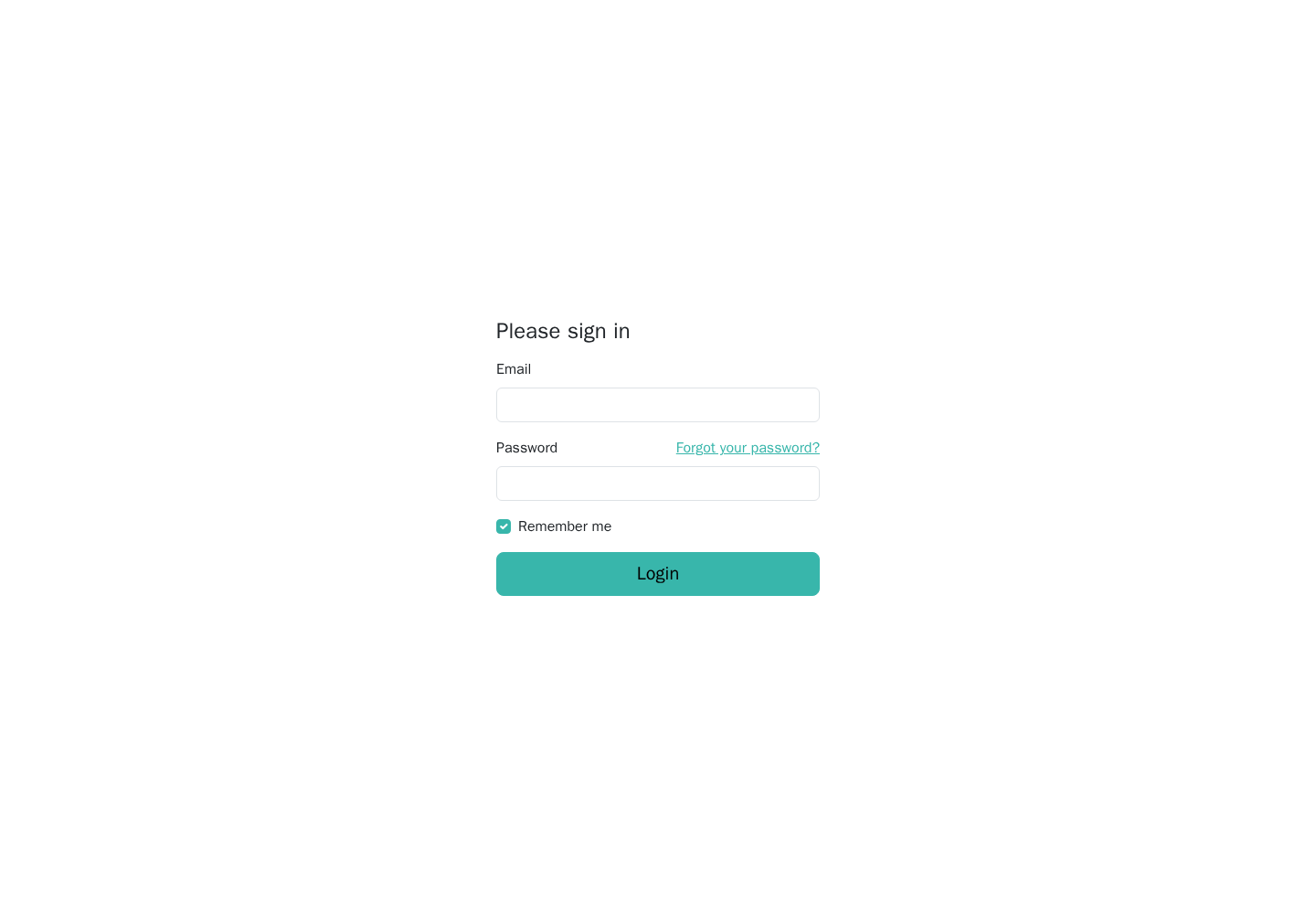
/app/loginand sign in with the user you created. - Open
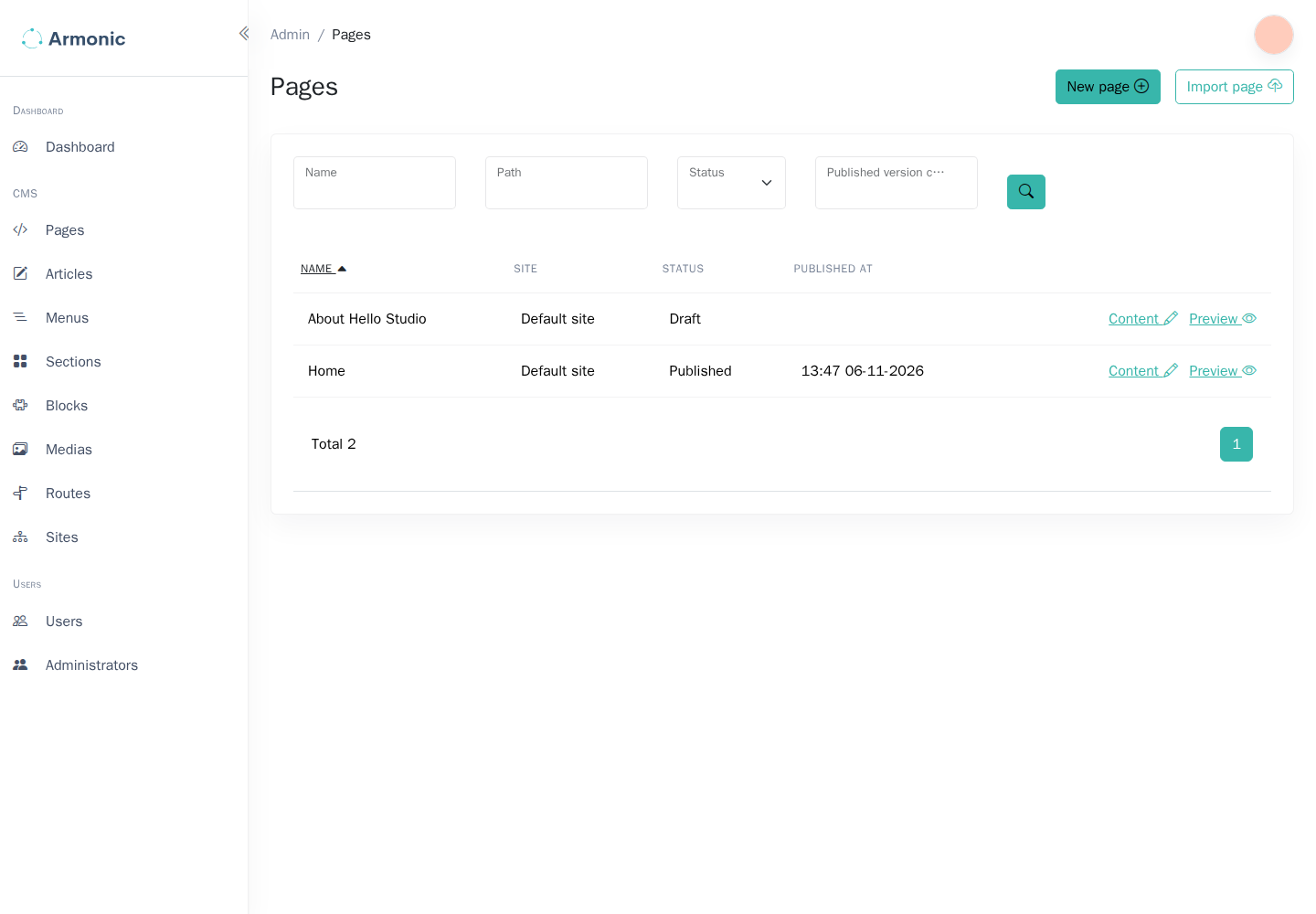
/admin/cms/pages/to manage pages.
The screenshots below show the Armonic 6.0 standalone demo theme. Your project can use its own theme and configuration.
If something goes wrong
Composer reports a missing PHP extension
Install the extension named in the error for the PHP version used by your terminal, then retry the command. Check the requirements for the extensions used by Armonic.
The database connection fails
Check that the database is healthy:
docker compose ps database
Compare the credentials and port in .env.local with your Compose configuration. MySQL and PostgreSQL only apply their initial database and user settings when the data directory is empty. See the database connection checks.
Symfony cannot autowire TypeResolverInterface
First check that SfsDynamicFormTypeBundle is enabled in config/bundles.php; it registers the standard resolver chain. If the application overrides that chain and Symfony still reports a missing TypeResolverInterface service, add this definition to the existing services section in config/services.yaml:
YAML
services:
    Softspring\Component\DynamicFormType\Form\Resolver\TypeResolverInterface:
        class: Softspring\Component\DynamicFormType\Form\Resolver\ChainTypeResolver
        arguments:
            $resolvers:
                - '@Softspring\CmsBundle\Form\Resolver\AppTypeResolver'
                - '@Softspring\CmsBundle\Form\Resolver\CmsTypeResolver'
                - '@Softspring\Component\DynamicFormType\Form\Resolver\DefaultTypeResolver'
PHP
<?php

// config/services.php
namespace Symfony\Component\DependencyInjection\Loader\Configurator;

return static function (ContainerConfigurator $container): void {
    $services = $container->services();

    $services->set(\Softspring\Component\DynamicFormType\Form\Resolver\TypeResolverInterface::class, \Softspring\Component\DynamicFormType\Form\Resolver\ChainTypeResolver::class)
        ->args([
            '$resolvers' => [
                service(\Softspring\CmsBundle\Form\Resolver\AppTypeResolver::class),
                service(\Softspring\CmsBundle\Form\Resolver\CmsTypeResolver::class),
                service(\Softspring\Component\DynamicFormType\Form\Resolver\DefaultTypeResolver::class),
            ],
        ]);
};
Retry the installation command, then clear the cache:
php bin/console cache:clear
Doctrine reports an unknown sfs_translation type
Check that config/bundles.php enables these bundles:
Softspring\TranslatableBundle\SfsTranslatableBundle::class => ['all' => true],
Softspring\Component\DynamicFormType\SfsDynamicFormTypeBundle::class => ['all' => true],
Add the type to your existing Doctrine DBAL configuration if it is missing:
YAML
doctrine:
    dbal:
        types:
            sfs_translation: Softspring\TranslatableBundle\Doctrine\Type\TranslationType
PHP
<?php

// config/packages/doctrine.php
namespace Symfony\Component\DependencyInjection\Loader\Configurator;

return static function (ContainerConfigurator $container): void {
    $container->extension('doctrine', [
        'dbal' => [
            'types' => ['sfs_translation' => \Softspring\TranslatableBundle\Doctrine\Type\TranslationType::class],
        ],
    ]);
};
Clear the cache and retry the migration command:
php bin/console cache:clear